Showing posts with label Microsoft PowerPoint 2007. Show all posts

How to hide a slide on Microsoft PowerPoint?

Hi people, thank you for visiting my personal blog. If this is your first time visiting the blog It-Share. You can visit the blog sitemap page, by clicking the "Sitemap" on navigation menu. On that page, you can find a lot of tutorials or any other information that you may require. Hope it is useful.

Well, if on my previous post, I have been talking about How to print handouts on Microsoft PowerPoint, this time I will talk about how to hide a slide on Microsoft PowerPoint. This manner there can hide certain a slide in accordance with your wishes. When you display a slide presentation to the audience, then the audience will not be able to see the slide.

How to hide a slide on Microsoft PowerPoint?

  1. Click on your PowerPoint slide number (see left). 

  2. Right-click the mouse button. 

  3. Click on "Hide a slide"

  4. It’s Done.


Read More »

How to print handouts on Microsoft PowerPoint?

The students usually have to distribute handouts before they discuss. Therefore, they have to print the slides into handouts form, to be distributed to the participants. With the existence of this handout will allow other students to understand the intent of the speaker in the discussion.

In addition, handouts will also override the problem; the text in the slide is too small so it is not clear. So even if members of the discussion could not clearly see the slide show on LCD, they can still be read on handouts distributed. Then how do I print a slide presentation into a handout? Follow the instructions below to get details about How to print it easily.

How to print handouts on Microsoft PowerPoint?

  1. Open your PowerPoint file

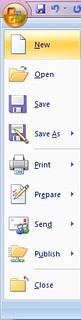
  2. Click on CTRL + P, or click "Microsoft Office", Next click on "Print"

  3. bikinbrosurdiword

  4. At the column "print what", please replace become handouts. 

  5. cetakhandoutppt

  6. Then on the "a slide per page" please enter the number 6. In a piece of paper will contain six a slide display minimized. You can choose four, six, and so on. 

  7. Click on "ok"

  8. It’s Done.


Read More »